Network engineering and diagnostics, built for the desktop.
39 tools for network engineers, IT administrators, and CCNA/CCNP-track learners. Every tool runs locally against real devices, real packets, and real protocol data — no telemetry, no account, no cloud backend.

No network call
you didn't ask for.
That's a real, verified rule this app is built to, not a slogan: VajraX never originates network traffic on its own — every connection it makes happens because you just clicked something that needs one. Nothing polls in the background, nothing phones home, nothing checks in on a schedule.
Verified tool by tool against this build's real source, not estimated. For exactly which of the 39 tools falls into which group and why, see the full feature list in the release README.
Built around a real workflow.
Network diagnostics, remote access, config analysis, network design, protocol reference, and security — all free, no paywalls, no accounts.
Inventory → connect → analyze → compare. Device Inventory, Multi-Device SSH Runner, Config Vault, and Config Drift Check share the same real device pipeline.
Diagnostics, inventory, configuration review, and reference material — no exploitation or attack tooling of any kind.
TOFU (trust-on-first-use) host-key checking on every SSH connection, with a persisted known-hosts store.
AES-256-GCM encrypted local storage for saved credentials and config version history, shared across the device-workflow tools.
SSH, SNMP, DNS, WHOIS, and raw TLS handshakes — every "live" tool talks the real protocol, not a simulated approximation.
Built for a desktop workflow.
Dark-first desktop UI, sized for real screen real estate.
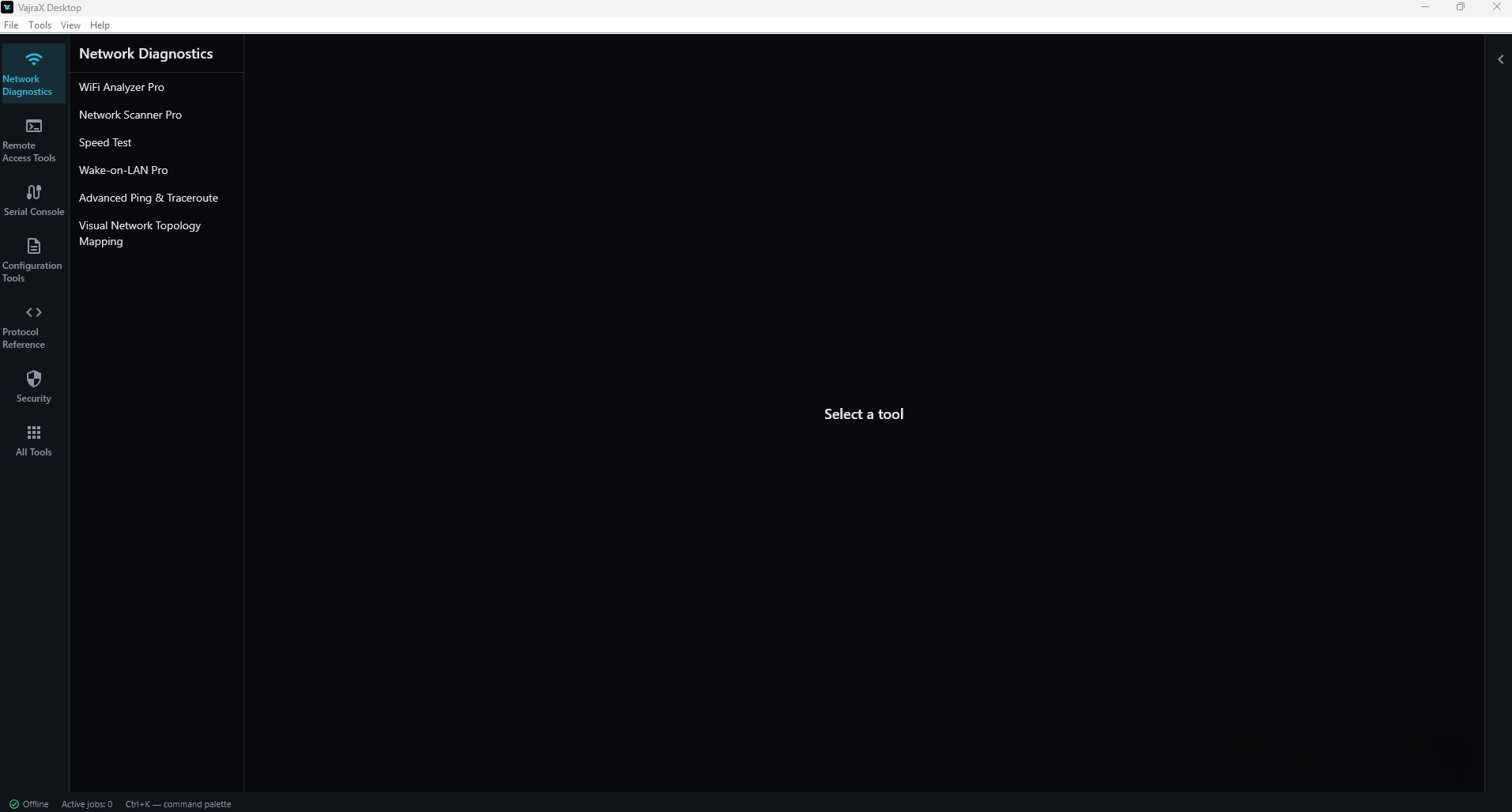
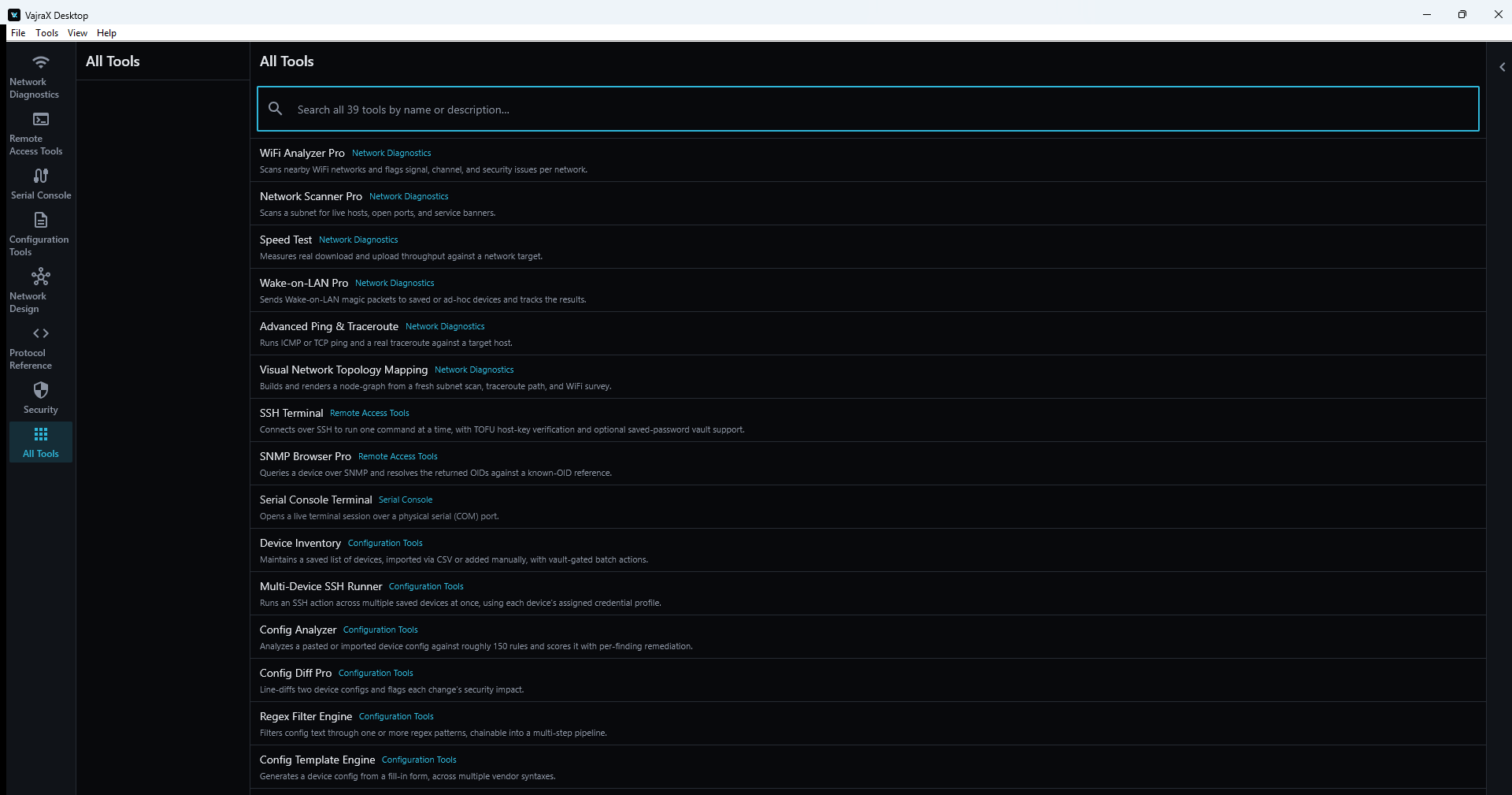
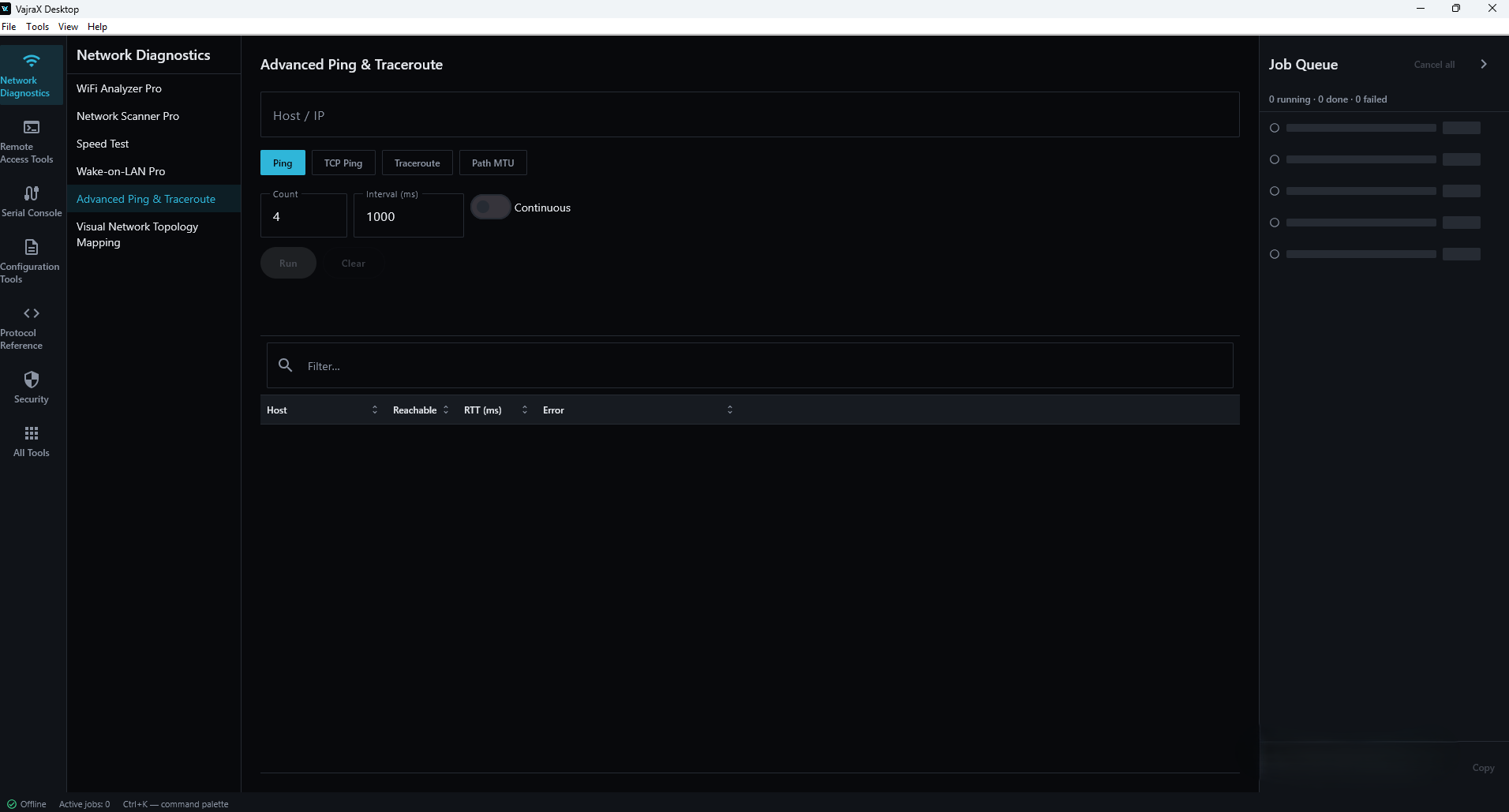
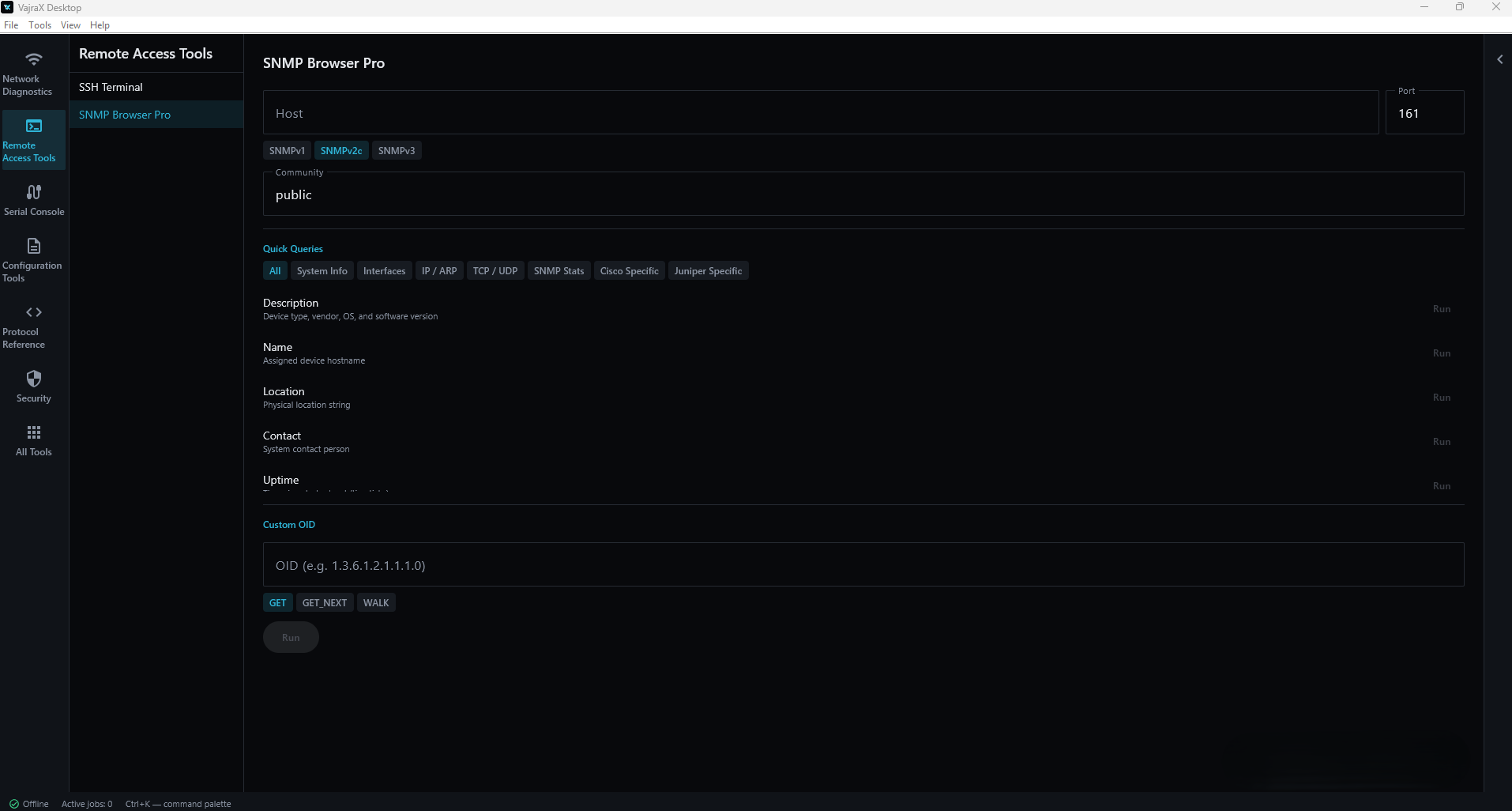
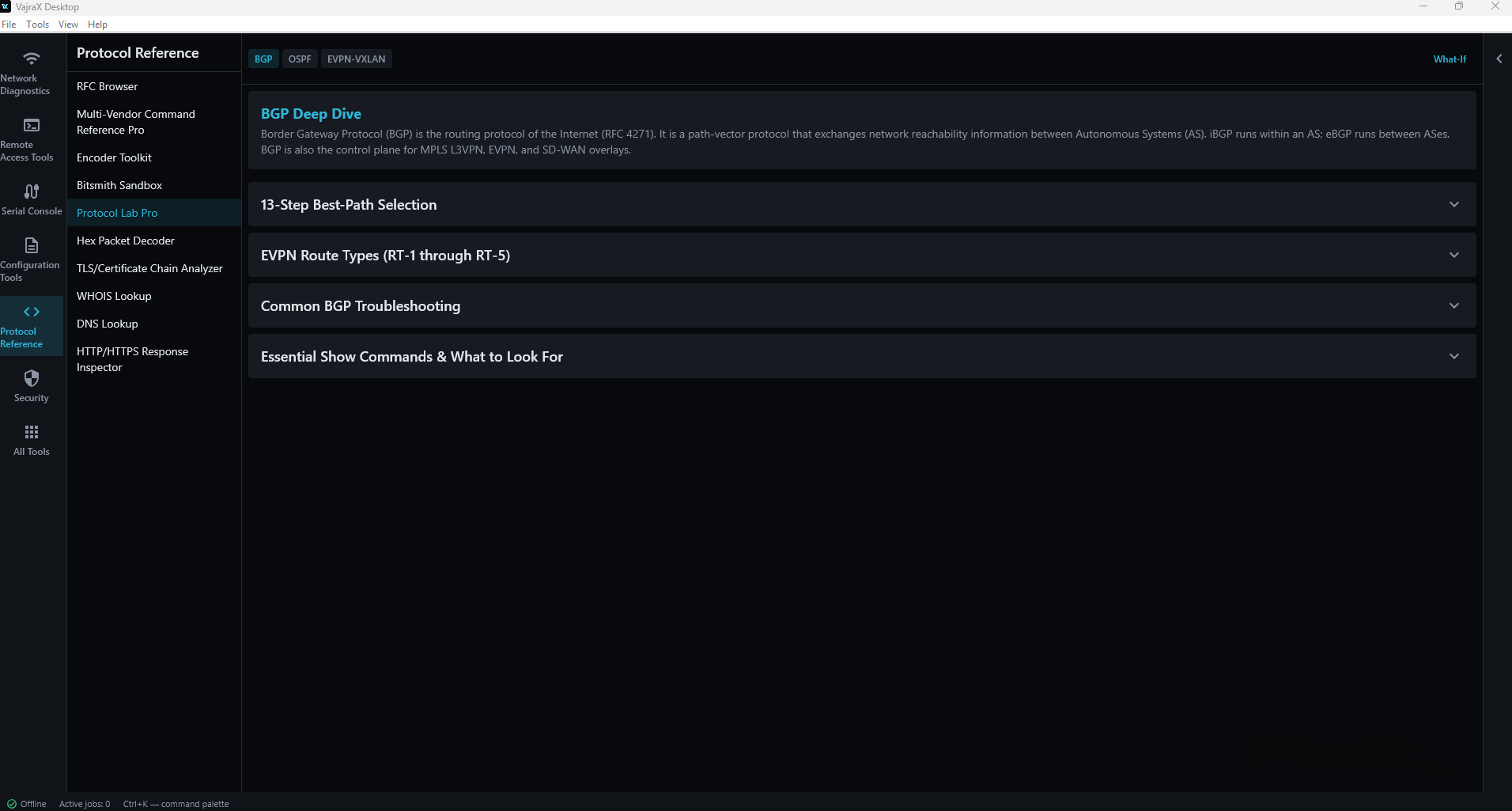
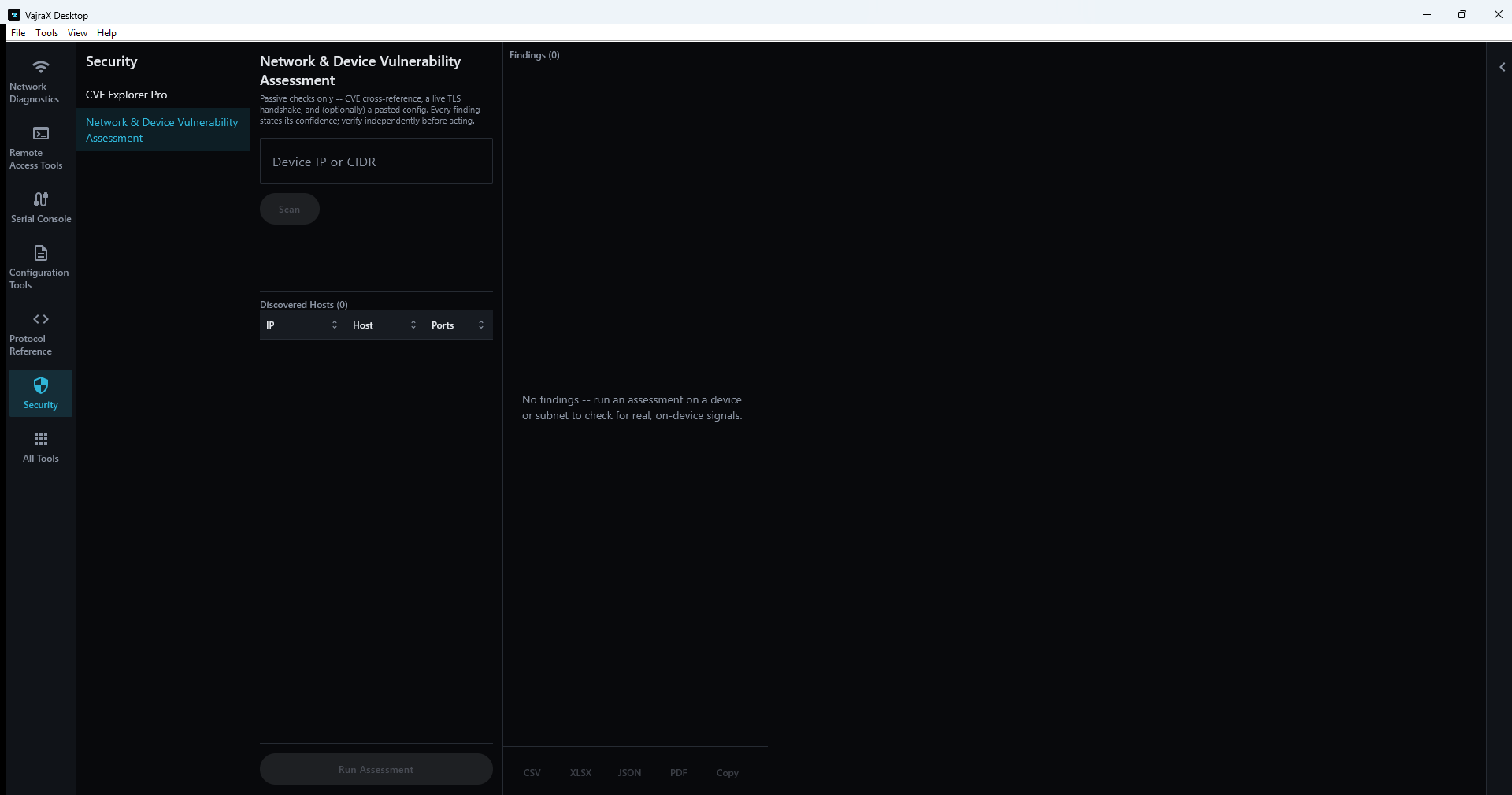
39 tools. Seven categories.
Built around a core device-configuration workflow (inventory → connect → analyze → compare), plus standalone diagnostic, network-design, protocol-reference, and security tooling.
- WiFi Analyzer Pro live
- Network Scanner Pro live
- Speed Test live
- Wake-on-LAN Pro live
- Advanced Ping & Traceroute live
- Visual Network Topology Mapping dual
- SSH Terminal live
- SNMP Browser Pro live
- Serial Console Terminal offline
- Device Inventory dual
- Multi-Device SSH Runner live
- Config Analyzer offline
- Config Diff Pro offline
- Regex Filter Engine offline
- Config Template Engine offline
- Multi-Vendor Translator Pro offline
- Config Vault offline
- Config Drift Check dual
- VXLAN MTU Calculator offline
- TCP Window Scaling Modeler offline
- AWS/Azure CIDR Carver offline
- Route-Target & RD Planner offline
- Spine-Leaf Underlay Designer offline
- EVPN-VXLAN Fabric Designer offline
- BGP Path Analyzer Pro offline
- SD-WAN Policy Calculator offline
- WireGuard Config Generator offline
- RFC Browser offline
- Multi-Vendor Command Reference Pro offline
- Encoder Toolkit offline
- Bitsmith Sandbox offline
- Protocol Lab Pro offline
- Hex Packet Decoder offline
- TLS/Certificate Chain Analyzer dual
- WHOIS Lookup live
- DNS Lookup live
- HTTP/HTTPS Response Inspector live
- CVE Explorer Pro offline
- Network & Device Vulnerability Assessment live
Works without a connection.
Reaches out when you say so.
23 of 39 tools are 100% offline — no cloud, no API keys. The remaining 16 either require network access for their core function, or offer it as one explicit, opt-in mode inside an otherwise offline tool.
- ⚡Instant — zero network callsConfig Analyzer, Config Diff Pro, RFC Browser, CVE Explorer Pro, and 10 more — all local, all instant.
- ✈No unrequested egressEvery network-using tool acts only when you explicitly run it. Nothing polls in the background.
- 💾~150 MB free disk space neededBundled RFC dataset, CVE dataset, port reference, and vendor command reference — all inside the install.
Unsigned, and honest about it.
No account. No ads. The app runs zero analytics — no exceptions.
⚠ This release is not code-signed
When you run the installer, Windows SmartScreen will most likely show "Windows protected your PC" with an Unknown publisher warning. This is expected, standard behavior for any installer from a publisher that hasn't purchased a code-signing certificate — it is not a sign of a problem with this specific file.
If you want to proceed: click More info, then Run anyway.
Because there's no publisher signature to vouch for the file yet, verify the SHA-256 checksum first — that's the actual guarantee that what you downloaded matches what was built and published. The checksum ships alongside the installer as VajraX_Windows_1.2.0.msi.sha256 in the same GitHub release; compare it with Get-FileHash VajraX_Windows_1.2.0.msi -Algorithm SHA256 in PowerShell.
System requirements.
VajraX_Windows_1.2.0.msi from the latest GitHub release..sha256 file before running it.Get VajraX PC
completely free.
No account. No credit card. No trial. Install and start working.
Frequently asked questions.
Is VajraX PC (Windows) really free?
Is the installer signed?
Does it work without internet?
Is this the same app as the Android version?
Do I need an account?
Is this offensive security / pentesting software?
What are the system requirements?
Is the source code available?
Got a bug?
Got an idea?
Every bug report and feature request gets read.